
Palworld Pals, Breeding & Tools
Stats and drops for every Pal, the breeding combo that gets you the one you want, a type chart and tier lists built from extracted game files — and the interactive maps that show you where to go.
Maps
Open the map →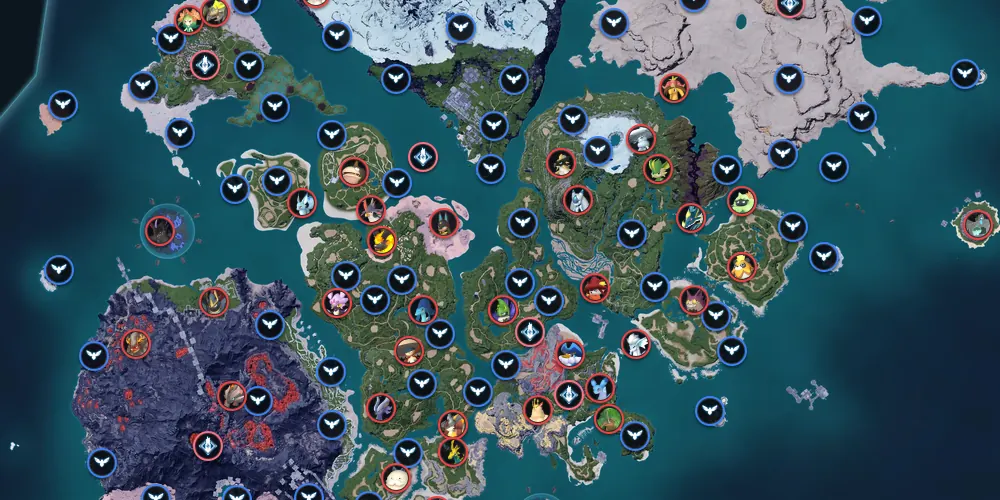
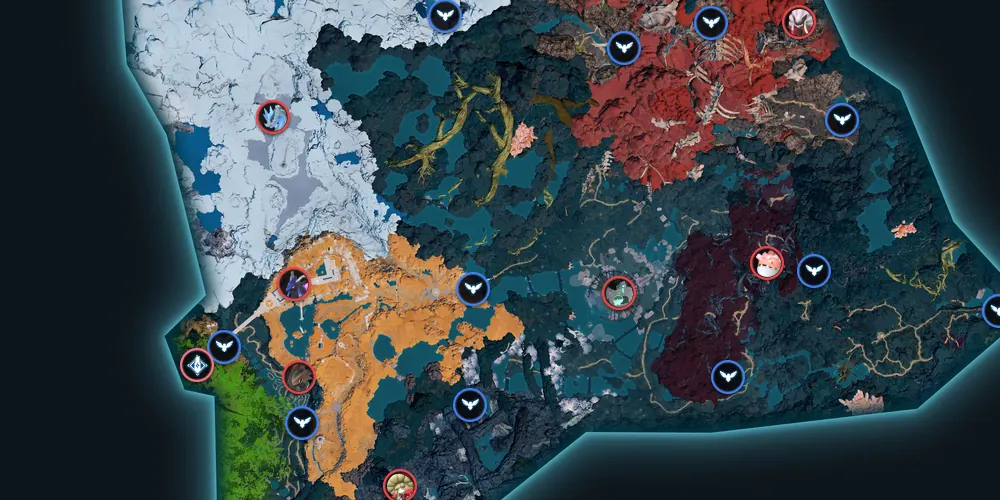


Palworld Interactive Map
Every boss tower, effigy, fast travel statue and egg on the Palpagos Islands: 35,194 pins you can filter, ground loot and spawn spots included, and every marker can be ticked off. Open the Palworld interactive map.
Where are you in the game?


Tools
 Breeding calculatorTwo parents → the child, every pair for a PalBreeding treeShortest path from your Pals to any Pal
 IV calculatorHidden IVs from the summary screenTeam builderPartner skills, coverage, countersTier listsCombat, mounts, work, passivesChecklist trackerEvery Pal, effigy and boss in one list
Database
 Paldeck298 Pals
 Items & recipes1,067 itemsActive skills308 skillsPassive skills114 traitsPartner skillsEvery Pal's partner skill
 Type chart9 elements
 SchematicsBlueprint unlocksRegions13 regionsTech tree588 technologies
 Structures496 buildings
 Implants61 implants
 Status effects9 conditions
 Bounty tokens16 boss tokens
 Applied handbooks12 handbooks
 Ominous eggWhat hatches
 Mutated eggWhat hatches
Guides
All guides →

Every map category
- Fishing Magnets2,763
- Red Berries1,939
- Pal Eggs1,786
- Ore Nodes1,625
- Treasure Chests1,350
- Paldium Deposits1,173
- Junk Piles646
- Coal Nodes553
- Pure Quartz Nodes534
- Supply Caches480
- Fishing Spots469
- Wild Pal Spawns367
- Pal Effigies360
- Hexolite Nodes349
- Sulfur Nodes288
- Mushrooms274
- Nightstar Sand271
- Oil Rig Guards267
- Chromite Nodes257
- Soralite208
- Crude Oil Wells185
- Dungeons170
- NPCs & Merchants148
- Fast Travel Statues129
- Elemental Chests109
- Ancient Ruins106
- Random Events88
- Alpha Pals83
- Treasure Boxes62
- Oil Rig Treasures56
- Enemy Camps55
- Notes55
- Cavern Mushrooms46
- Treasure Maps42
- Bounty Targets33
- Base Spots32
- Skill Fruit Trees31
- Beautiful Flowers27
- Kinship Peaches22
- Skyland Warp Altars20
- Watchtowers20
- Heat Sources20
- Sealed Realms19
- Boss Towers17
- Cave Entrances17
- Anti-Air Turrets10
- Ancient Bark10
- Ancient Bones10
- Ancient Lava10
- Statues of Power4
Legendary & Boss Pals
View all 298 →


Browse by element
Type chart →More guides & resources
Free guides and reference pages for the questions players search most.
- Breeding treeThe shortest breeding path from your Pals to any Pal
- Team builderFive Pals: partner skills, type coverage and counters
- IV calculatorRead a Pal's hidden IVs from its summary screen
- Games like PalworldThe best alternatives to play next
- Best Palworld websites comparedMap, breeding and database sites, measured row by row
What's new on PinDrop
See all updates (34)Notes from Yurii, who builds PinDrop on his own: the latest changes to the Palworld pages and tools.
A real copy icon in popups
Copy link now shows the usual copy icon instead of a chain, and a check mark once the link is copied. The coordinates row is shorter too: Coords, the numbers and a Copy button.
Cave popups and layouts
Dungeon pins open the standard popup with the item's name, a dungeon link keeps its layout, and ore pins link to the ore's page.
Alpha Pals show their own level
An Alpha Pal's popup now gives the level that boss spawns at, from the game's own boss table, instead of the wild level range of its species.
Search finds bosses and the Caravan Leader
Searching for a boss now offers the Alpha Pals, and caravan leader explains that this merchant comes to your base and opens the merchants list. A search can also start at a later word of a name, so dragon's baton finds Divine Dragon's Baton, and a place you search for comes before the pins that only name it.
Popups clear the banner and copy coordinates
A popup you open near the bottom of the map now moves up above the banner there, and on a phone a long button label is shortened neatly instead of being cut off at both ends. Popups now also have a Copy button for their coordinates.
Ominous and Mutated Eggs
The new Ominous Egg page lists the 42 Pals it can hatch and the 29 World Tree egg nests it comes from. The Mutated Egg page shows how breeding at a Breeding Farm gives one and the 143 Pals a mutation can hatch.
Bounty Tokens and Applied Handbooks
Bounty Tokens shows which boss gives each of the 16 tokens on its first defeat and what the token does. Applied Handbooks lists all 12 books with the work suitability each raises and its Medal Merchant price.
What can this Palworld site do?
What can the Palworld map do?
It is a full interactive map of Palpagos and the World Tree. Besides every pin, you can:
- Search the map: type a pin or a layer name, pick it and the map flies there and opens it.
- Mark as found: tick a pin in its popup, and switch on Hide found to see only what is left.
- Share a pin: Copy link in a pin's popup gives a link that opens the map on that exact pin.
- My markers: drop your own pins on the map, each with a name, a colour and an icon.
- Plan a farming route: pick a resource or a Pal drop and the map draws a loop of stops from the nearest fast travel statue.
- 100% checklist: everything there is to find in one list, and the pins you tick there are ticked on the map too.
What other tools does this Palworld site have?
Every number comes from the game's own files. The tools:
- Breeding calculator: which two Pals give the one you want.
- Breeding tree: the breeding routes to a Pal drawn as a tree.
- Passive planner: pick a Pal and the passives you want, and it finds the best routes from the Pals you have.
- Team builder: put a team of Pals together and check its strengths and weaknesses.
- IV calculator: work out a Pal's hidden stats.
- Tier lists: the best Pals for combat, mounts and each kind of work, and you can make your own.
How do I find out what is new on the Palworld pages?
Open the map and press the Info button (i) in the left panel. It lists what I changed on the map, newest first.
- Map updates: the Info button (i) in the map's left panel, with the date of each change.
- All updates: every change to the Palworld pages, with the date.
Sources and rights
Where the Palworld data on PinDrop comes from, and who owns the game.
Map and pins
Palworld game files, version 1.0.5 (Pocketpair)
read by PinDrop: the game's data tables, string tables, map textures and icons give every pin, Pal, item, skill and picture