We use essential cookies to keep auth and voting working. Optional analytics + error tracking help us improve. Choose what you're OK with — Essential + optional analytics. policycookie policy.
Sons of the Forest Bunker Map
Loading interactive map…
Sons of the Forest Bunker Map
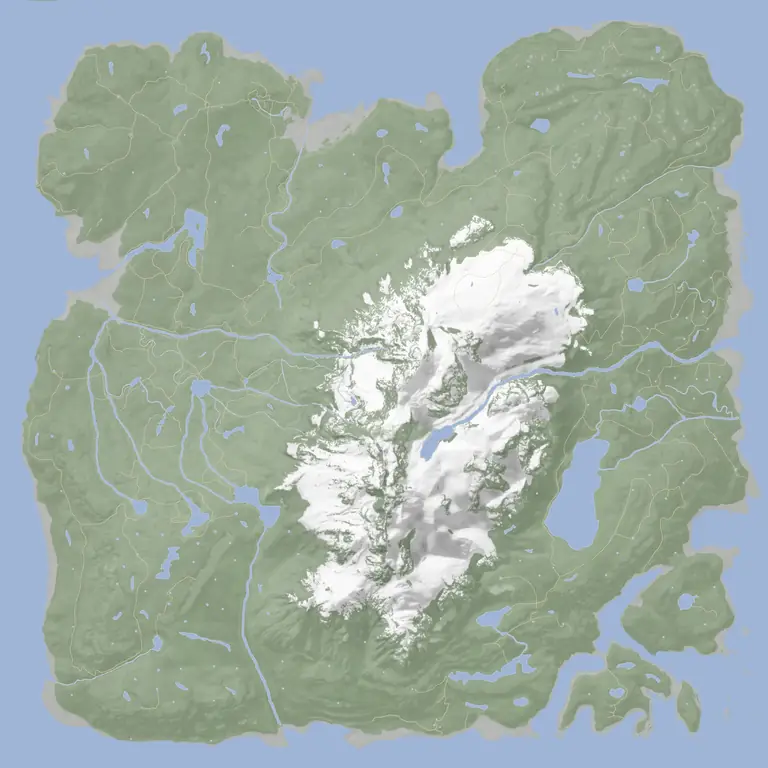
Bunkers are the sealed underground shelters that hold much of Sons of the Forest's best loot — 3D printers, the keycards and several weapons lie behind bunker doors. The map below pins every bunker and maintenance entrance; click a marker for its location screenshot or a teleport command.
The three Maintenance bunkers have no keycard reader at all — you dig their hatches out with the shovel, and Maintenance Bunker A holds the Maintenance Keycard. That keycard opens the first locked doors in the Food and Dining and Entertainment bunkers. The VIP Keycard sits inside the Food and Dining bunker, and the Guest Keycard is in the Entertainment bunker (a second copy lies in the Residential bunker) — which matters, because you need the Guest Keycard to explore all of the Residential bunker. Each bunker's loot, what its doors need and the keycards inside are listed below the map.
What's inside each bunker
Read from the game's own level files: every item placed loose in the 7 bunkers, counted. Counts are pickups, not units — one ammo box is one pickup. Crates, cases and bodies roll their contents when you open them, so they are not in this list, and bones, skulls, rocks and severed limbs are left out.
The game has 7 bunkers: Food and Dining Bunker, Entertainment Bunker, Residential Bunker, Luxury Bunker, Maintenance Bunker A, Maintenance Bunker B, Maintenance Bunker C. The Luxury Bunker is the endgame one — the map labels it Final Bunker. The map above pins each entrance, and the loot inside each is listed under it.
Where is the VIP / luxury bunker in Sons of the Forest?▾
Luxury and Residential are two different bunkers. The map's Final Bunker pin is the Luxury bunker — its teleport point is named BunkerLuxury — and the wiki also calls it the VIP Bunker. You reach it after the Residential bunker, where a surveillance room unlocks its door. The VIP Keycard itself is a different thing: it lies in the Food and Dining bunker.
How do you open bunkers in Sons of the Forest?▾
The Maintenance bunkers open with the shovel: dig out the hatch. Maintenance Bunker A holds the Maintenance Keycard, which opens the first locked doors in the Food and Dining and Entertainment bunkers. The VIP Keycard inside the Food and Dining bunker opens its dining hall, and the Guest Keycard from the Entertainment bunker opens the rest of the Entertainment and Residential bunkers.
What's the difference between caves and bunkers?▾
Caves are natural passages that hold your core tools (rope gun, rebreather, shovel, pickaxe). Bunkers are man-made shelters — some dug out with the shovel, some locked behind keycards — that hold 3D printers, the keycards, several weapons and the way to the ending. See the cave map for the tool caves and this page for the bunkers.






 CrossbowWeapon
 VIP KeycardKeycard
 Shotgun RailAttachment
 Crossbow Bolt×14
 Slug Ammo×1
 Bacon Bite×13
 Energy Drink×3
 Meat×3
 Cereal Box×2
 Energy Bar×2
 Oyster×2
 Ramen Noodles×2
 Canned Food×1
 Energy Mix Plus×1
 Golf Cart Battery×2
 Printer Resin×2


